
Monkey App has become one of the most-downloaded random video chat apps for Gen Z. Monkey App has become a key choice for many young users exploring social interaction with strangers. With its core selling points of “quick matching, easy chatting, and real video interaction,” it has attracted a large number of Generation Z users. But what exactly is Monkey App? Is it easy to use? Is it safe? And what should you be aware of? This article will provide a comprehensive analysis of Monkey App from multiple perspectives, including functionality, user experience, security, and alternative platforms.
What is Monkey App?
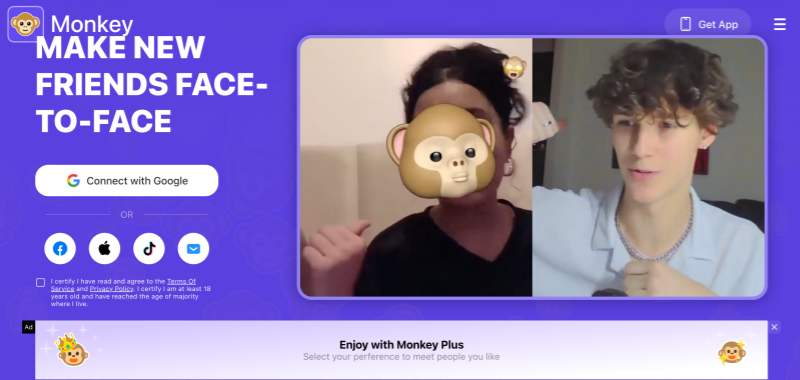
Monkey App is a social application that focuses on random video chat. It first became popular among young users in Europe and America, especially among students and young adults. Users can interact one-on-one with strangers worldwide via video or text without complicated information filling.
Monkey App’s core concept is very simple:
Making social interaction with strangers faster, more authentic, and more fun.
Compared to traditional social platforms that rely on following, likes, and building long-term relationships, Monkey chat emphasizes “instant connection” and “short-term interaction.”
Monkey App Key Features
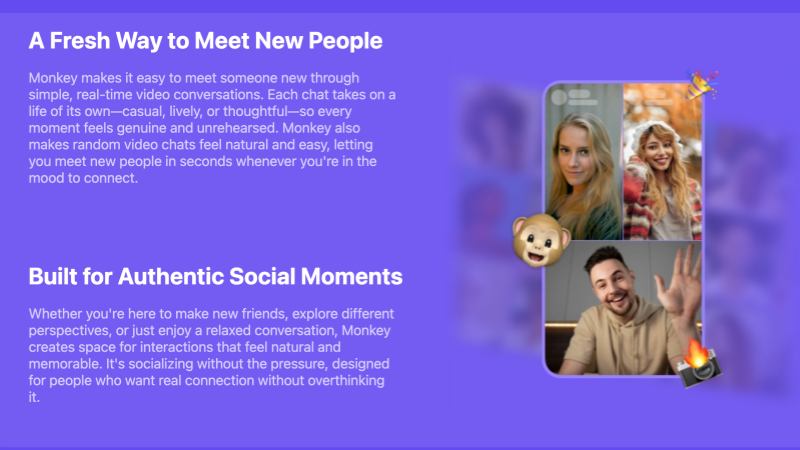
- ⚡ Instant Random Video Matching
The core feature is unchanged from the classic roulette formula: tap match, see a stranger, start talking. Matching is fast, which is exactly the point — Monkey is built for people with five spare minutes, not for people curating a social circle.
- ⏭️ One-Tap Skip
No awkward goodbyes, no mutual agreement needed. One tap moves you to the next person instantly. It’s the “pressure-free” mechanic that made Omegle famous, tightened for mobile.
- 👤 Minimal Profiles
Monkey deliberately keeps profiles thin — basic info only. Less “packaging yourself,” more just showing up and talking. The flip side: thin profiles mean thin verification, which matters for the safety part below.
- 🎯 Limited Matching Controls
Basic age and interest filtering exists in some versions, but the overall approach is still heavily random. If you want precise filters or interest-based matching, this isn’t where you’ll find them.
Monkey App Benefits and Drawbacks
What works
- Extremely fast matching — the “boredom killer” use case is real
- Real face-to-face interaction, no curated feeds
- Dead-simple interface, zero learning curve
- Great for short bursts of social time
What doesn’t
- Chat quality is wildly inconsistent — one great call, five duds
- Randomness means no control over who shows up
- Safety leans heavily on your own judgment
- Not built for friendships, let alone anything deeper
Top Alternatives — 6 Better Options When Monkey Isn’t It
If Monkey’s randomness or safety setup gives you pause, here are eight platforms that solve different pieces of the puzzle.
- Azar — Global video chat with real-time translation. Best for cross-cultural conversations with automatic language support.
- Camsurf — Anonymous and secure with no mandatory registration. Language and region filters, plus active community moderation.
- Twoo — Social discovery with location-based matching and live streams. Great if you want profile browsing alongside casual video interactions.
- Tagged — Long-running social community built for live video and flirtatious meetups. Massive global user base with profile-based discovery and live stream rooms.
- Chatspin — The fun-and-filters option: gender and region filters, AR effects, free basics with paid advanced filtering.
- Chitchat.gg — Interest, gender, and region filtering with strict rule enforcement. For people who want meaningful conversations, not roll-of-the-dice chats.
What is the User Experience of the Monkey App?
From a practical user experience perspective, the Monkey chat App’s overall style is very lightweight and entertainment-oriented:
- Low learning curve: You can start chatting in minutes.
- Fast pace: Chats can end anytime if they don’t go well.
- High realism: Primarily video-based, reducing the problem of misleading photos.
- Younger-oriented social atmosphere: Most users are extroverted and talkative.
However, this high degree of freedom also brings some problems, such as inconsistent chat quality and significant differences in user behavior.
Is the Monkey App Safe?
This is one of the most pressing concerns for many users. Objectively speaking, the Monkey App is not a completely risk-free platform.
Potential risks include:
- Inappropriate content or behavior
- Difficulty in verifying user identity
- Younger users may be more susceptible to negative influences.
Platform measures:
- Reporting and banning mechanisms
- Basic content review
- Age restriction warnings
However, it should be emphasized that the Monkey App has a high degree of randomness, and users are still responsible for their own usage behavior. It is recommended to avoid disclosing personal privacy information and refrain from any form of monetary or private transactions.
FAQs
1. How to Cancel Monkey App Subscription?
Cancel through the store where you subscribed. iOS: Settings → Apple ID → Subscriptions → Monkey → Cancel. Android: Google Play → Subscriptions → Monkey → Cancel. You keep premium access until the current billing period ends.
2. How to Sign Up for the Monkey App?
Download from the App Store or Google Play, allow camera and mic access, then sign up with a phone number, email, or social account. Set a few basic details and you’re chatting within minutes.
3. How to Use the Monkey App?
- Open the app and choose video or text chat.
- Get matched randomly with another user.
- Tap Next to skip or use Report/Block if needed.
Monkey App focuses on fast, casual video interactions.