
You open the same three apps. Same feeds. Same faces. You’re craving something spontaneous — a real conversation with someone you’ve never met. That’s where thundr chat comes in. No signup, no waiting, just instant random video connections with strangers worldwide. Here’s what it’s actually like before you click “Start.”
What is Thundr
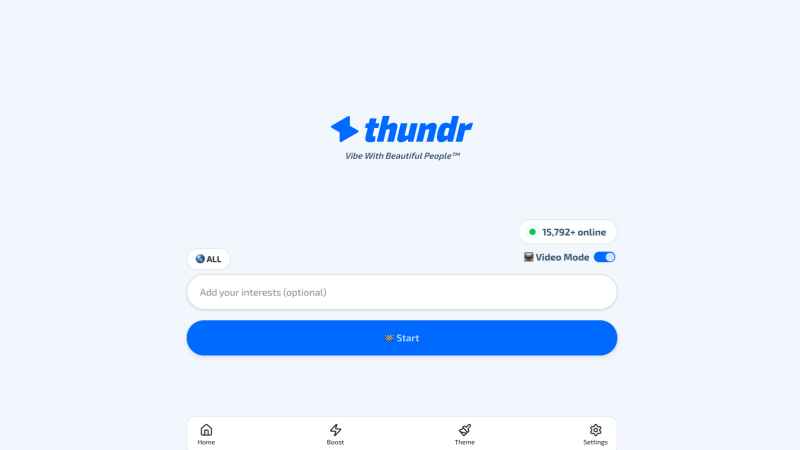
Thundr is a web-based random chat platform that allows users to have one-on-one conversations with strangers around the world via video or text. Its key features include:
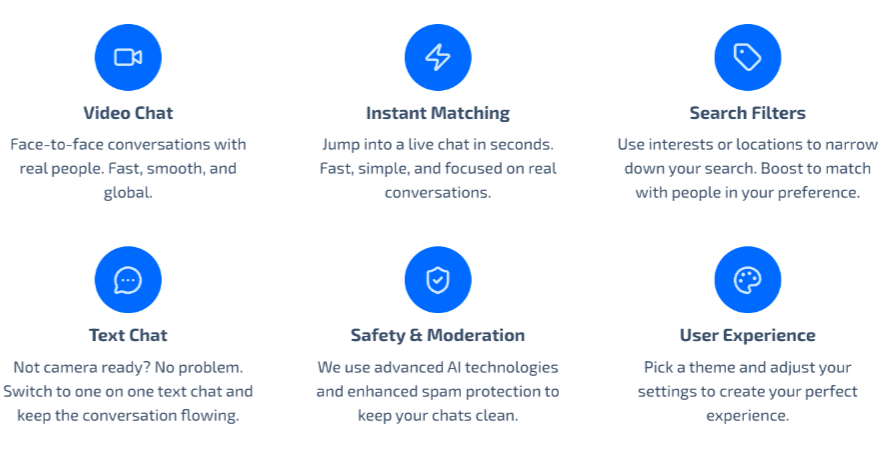
- 🧐 Random Video Chat — one click, you’re live. No queue, no email, no “complete your profile” nag screens. Pure speed.
- 🙂 Text-only Mode — not camera-ready? Flip to text and keep talking. Switch back anytime — no need to end the chat. Most platforms lock you into one lane; Thundr doesn’t.
- 🥰 Interest & Filter Matching — add keywords like “music” or “fitness” and Thundr nudges matches toward your vibe. Not a hard filter, but it tilts the odds in your favor.
- 😌 Anonymous by Default — no personal info stored, no account to hack. You show up as a blank slate. Privacy upside: real. Moderation: lighter than premium, so stay sharp.
- 🤓 Web-based, No Download Needed — works on desktop, phone, or tablet with zero installation. Mobile isn’t as polished as desktop, but it gets the job done.
- 🙂 AI Moderation & Spam Protection — automated filtering for spam and obvious violations. Not TikTok-level, but for a free platform? About what you’d expect.
Thundr knows exactly what it is — a fast, simple, anonymous way to talk to strangers. It doesn’t pretend to be more, and that’s kind of refreshing.
Is Thundr Safe?
So is ThundrChat safe? It’s as safe as you make it.
The good news: thundr chat needs zero registration — no email, no password, no profile stored. Close the tab, and your session vanishes. From a data-privacy angle, that’s a genuine win. The platform also runs AI moderation on thundr cam feeds to filter spam and obvious violations. Not perfect, but it catches the worst.
Now the reality: total anonymity means anyone can show up. Never share personal info. Keep identifying details out of the camera view. Skip instantly if something feels off — no explanation needed. Anonymity protects your identity, but your habits protect everything else. Stay sharp, and thundr chat stays fun.
How to Use Thundr More Safely and Efficiently

Want a smoother, safer Thundr experience? Here’s your game plan:
Start with text chat before jumping on camera — get a feel for the match first. 💬 Fill in specific interest tags like “indie music” or “fitness” instead of generic ones — better tags, better matches. 🏷️ Check your Wi-Fi and camera before starting — nothing kills a conversation faster than lag. 📶
On safety: never share personal info, keep your background clear of identifying details, and skip instantly if anything feels off. Use a VPN for extra peace of mind. Stay smart, stay relaxed, and treat it as casual social discovery — not a dating app or therapy session.
Best Thundr Alternative Picks — Sites Like Thundr Worth Trying
Not vibing with Thundr’s lightweight, anything-goes energy? Fair. Here are five solid thundr alternatives to check out.
- Umingle wraps random matching in a friendlier, community-first design. If Thundr’s chaos feels like too much, this is your gentler on-ramp.
- Random Video Chat keeps the same one-click, no-signup speed but adds verified profiles and real moderation — easily the safest pick among apps like thundr.
- Fox Video Chat brings a polished interface and smoother video quality to the random chat experience, making it a strong thundr app chat contender for anyone who cares about call clarity.
- Chatous flips the script with hashtag-based matching — pick a topic, find your people. More intentional than Thundr’s pure randomness.
- Y99 leans into group chat rooms alongside 1-on-1 options, great if you prefer a room-first approach over Thundr’s solo-matching model.
Bottom line? Thundr is fast and simple, but the best sites like thundr give you options it doesn’t — better moderation, smarter matching, or a completely different social style. Pick your vibe.
Thundr vs Random Video Chat: Comparison At-A-Glance
| Feature | Thundr | Random Video Chat |
| Sign-Up | None | Account with real-person verification |
| Chat Formats | Video + text-only mode, switch anytime | 1v1 video chat with instant matching |
| Matching | Interest tags + random roulette | Interest-based matching standard |
| Moderation | AI moderation + spam protection | Verified profiles + real moderation |
| Cost | Free | Free basic trial + free coins |
Conclusion
Thundr isn’t trying to be everything to everyone — and that’s exactly why it works. If you want to click one button and be face-to-face with a stranger anywhere in the world within seconds — no signup, no download, no hassle — it delivers exactly that. The interest tags add just enough direction to keep things interesting, and the text chat fallback means you’re never forced on camera when you’re not feeling it.
That said, know what you’re signing up for. Light moderation. Pure randomness. Wild swings in match quality depending on when you log on. If you need gender filters, strong safety features, or curated connections, this isn’t your platform — and there’s no shame in that. But for casual, zero-friction conversations with strangers across the globe? Thundr punches above its weight. Keep your expectations realistic, your skip button warmed up, and your privacy tight. You’ll have a good time.
FAQs
- How to get unbanned from Thundr?
It’s usually impossible to unban someone directly, as Thundr bans are mostly determined automatically by the system. You can try clearing your browser cache, switching devices or networks (such as changing your IP address), and then accessing the platform again. Also, avoid violating platform rules, otherwise you may be banned again.
- How to find girls on Thundr?
While you can’t directly filter by gender on Thundr, you can increase your chances of meeting female users by refreshing matches, optimizing your profile, and engaging in friendly conversations. Utilize interest tags or filters if available to match users who suit your preferences.
- Why isn’t Thundr working?
If Thundr isn’t working, you might face issues due to internet connection problems, server downtime, or browser compatibility. Try refreshing the page, clearing your browser cache, or using a different browser. Additionally, make sure your device and network remain stable.